Available on Google Play and the App Store
StageReturn - The after-sales service software for managing equipment incidents and repairs
Start with a 1-month free trial!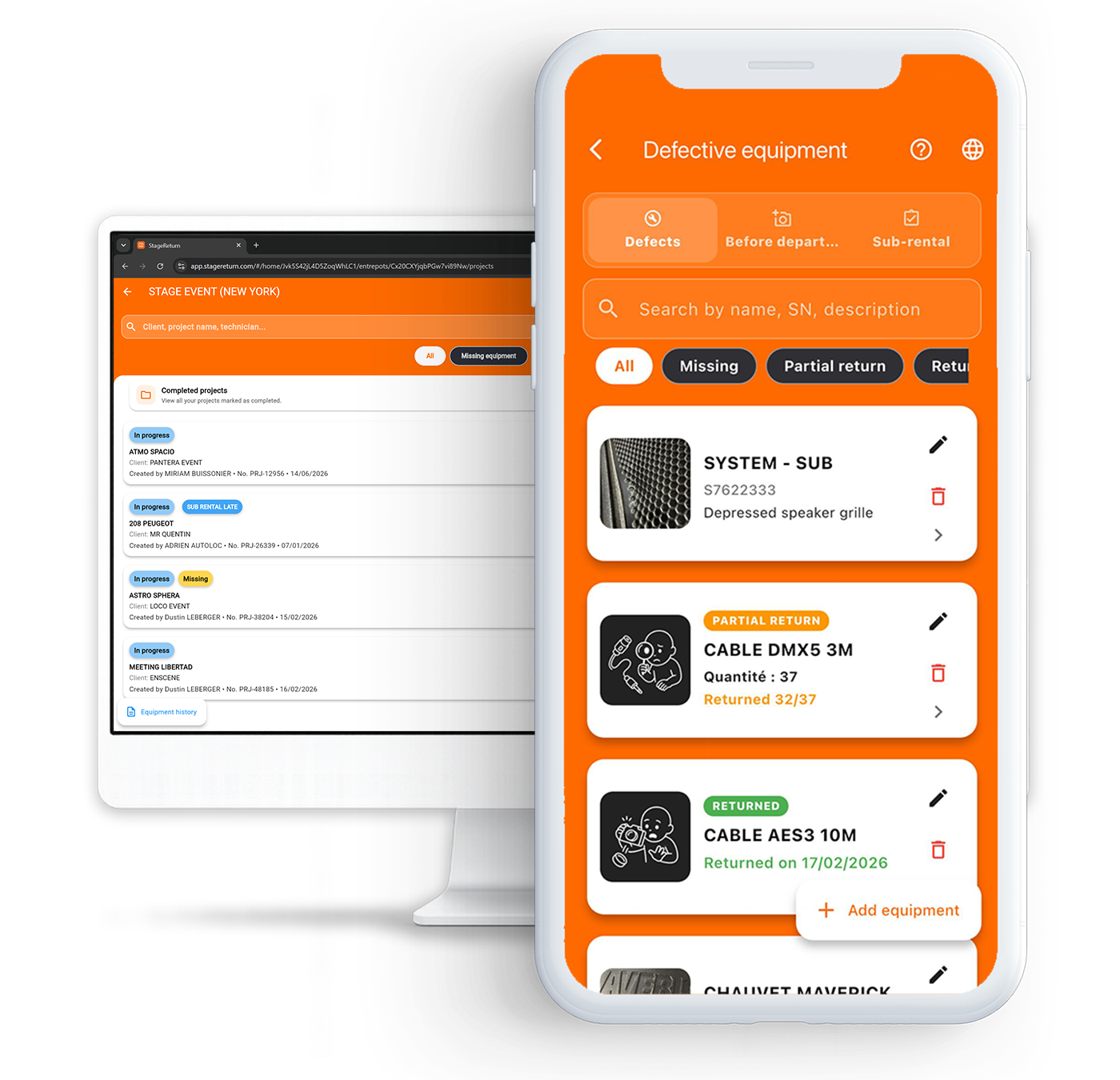
Scroll down
to learn more
From incident reporting to PDF report generation
How does it work ?
Report damaged or missing equipment, keep evidence, track repairs and generate PDF reports.
1
Report incidents
Add damaged or missing equipment with photos, serial numbers and detailed information.
2
Keep evidence
Centralize incident history, photos and information for each piece of equipment.
3
Track repairs and returns
Monitor damaged, missing, returned or repaired equipment in real time.
4
Generate your PDF reports
Create customer or internal reports with photos and evidence.
From incident reporting to PDF report generation
How does it work ?
Report damaged or missing equipment, keep evidence, track repairs and generate PDF reports.
1
Report incidents
Add damaged or missing equipment with photos, serial numbers and detailed information.
2
Keep evidence
Centralize incident history, photos and information for each piece of equipment.
3
Track repairs and returns
Monitor damaged, missing, returned or repaired equipment in real time.
4
Generate your PDF reports
Create customer or internal reports with photos and evidence.
Switch from scattered management to a centralized organization. No more lost messages and photos on WhatsApp!
Why choose StageReturn?
A solution designed for demanding rental companies.

Multi-warehouse management
Centralize and manage multiple warehouses from a single platform.
Assign access permissions, track equipment by location, and centralize all your data.

Advanced administration and role management
Owner, administrators, members: customizable and secure access permissions.
History and traceability
Complete tracking and real-time traceability.
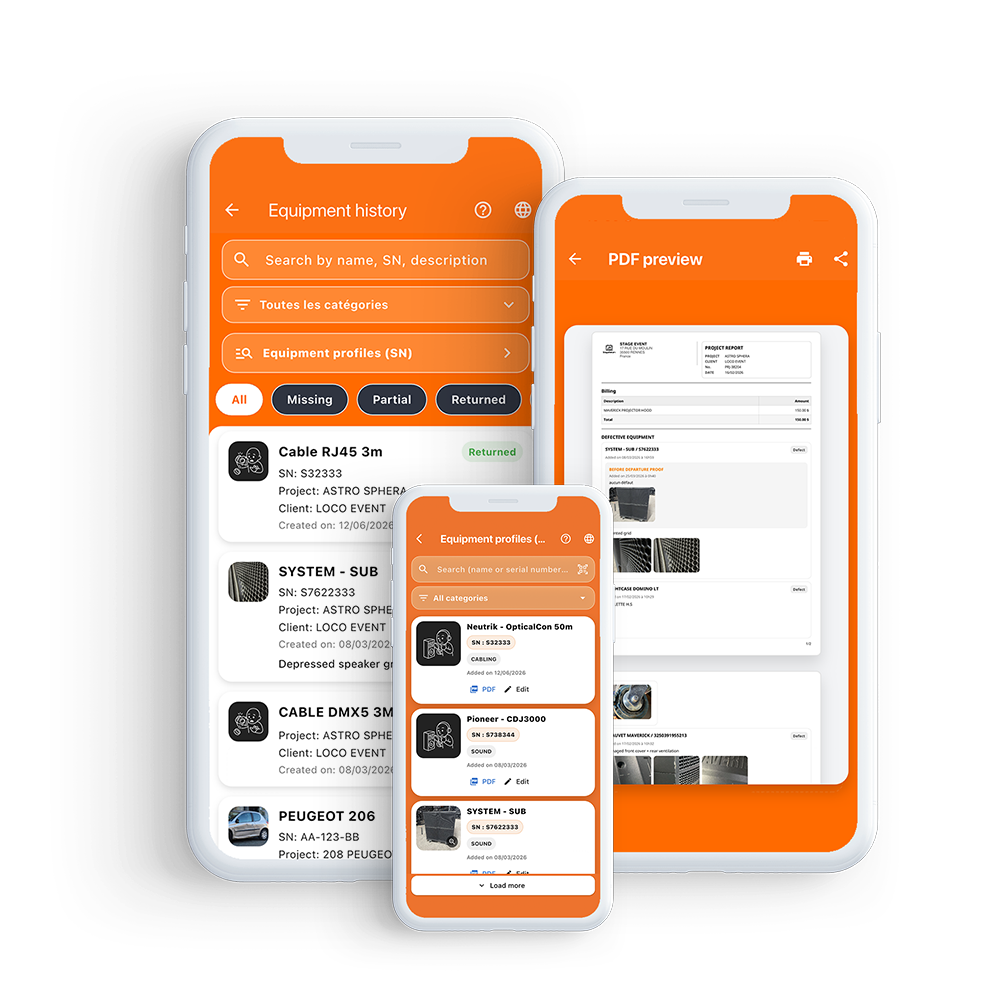
A simple scan gives access to the full history of an equipment item.
Professional PDF reports
Generate fully customized reports.
Client, internal, or white-label exports with configurable branding.
Optimize your daily operations
Save time on every operation
No more searching for information through messages, emails, or scattered files.
Everything is centralized and instantly accessible, whether you're in the office or out in the field.
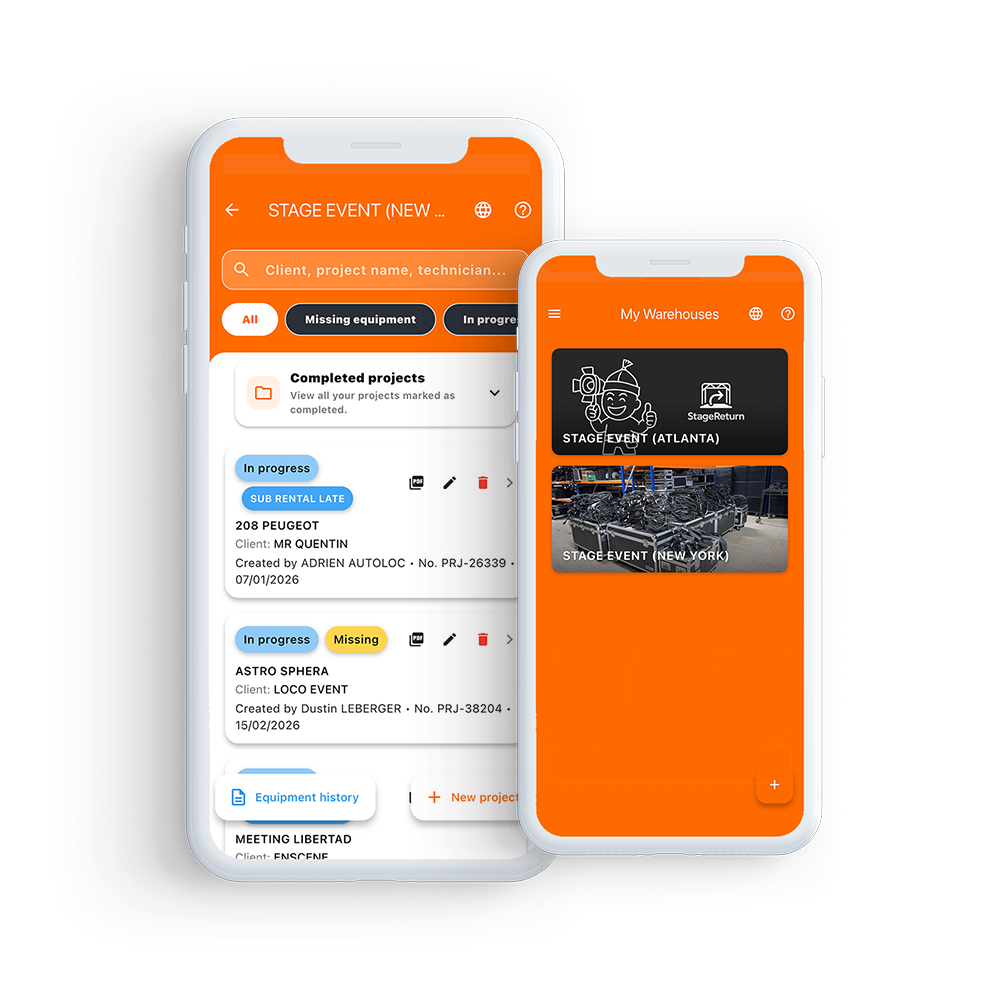
Secure sub-rentals
Protect your equipment even when it is rented out elsewhere
Add a sub-rental in just a few seconds:
take photos before departure, define the rental period, and keep a timestamped proof of the equipment’s condition.
In case of delay, a clear label on the project lets you instantly identify equipment that has not been returned.
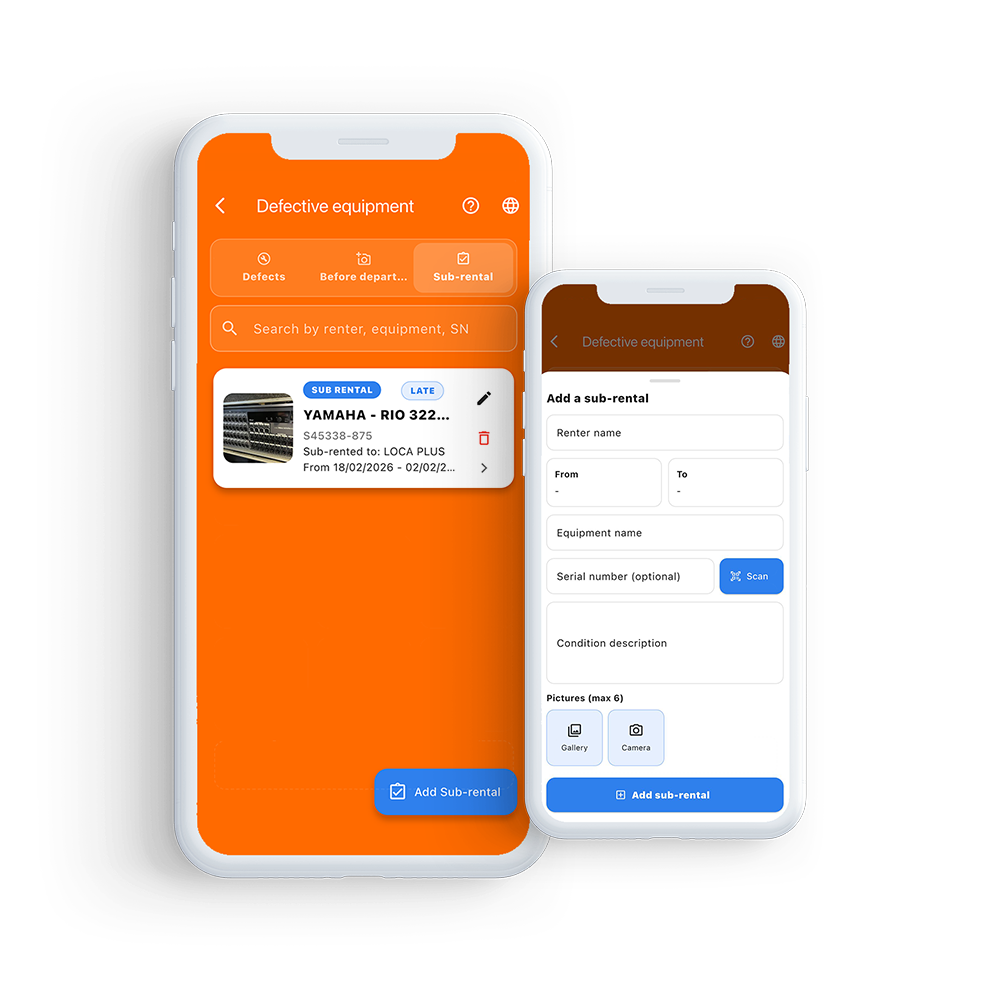
Proof from the start, zero disputes on return
Record the equipment condition before use and justify every damage claim with ease.
Add your equipment with photos as soon as it becomes available, whether in the warehouse or directly on-site.
Each proof is timestamped to certify the condition of the equipment before use.
In case of damage, compare this proof with a reported defect and generate a clear visual report to secure your exchanges.
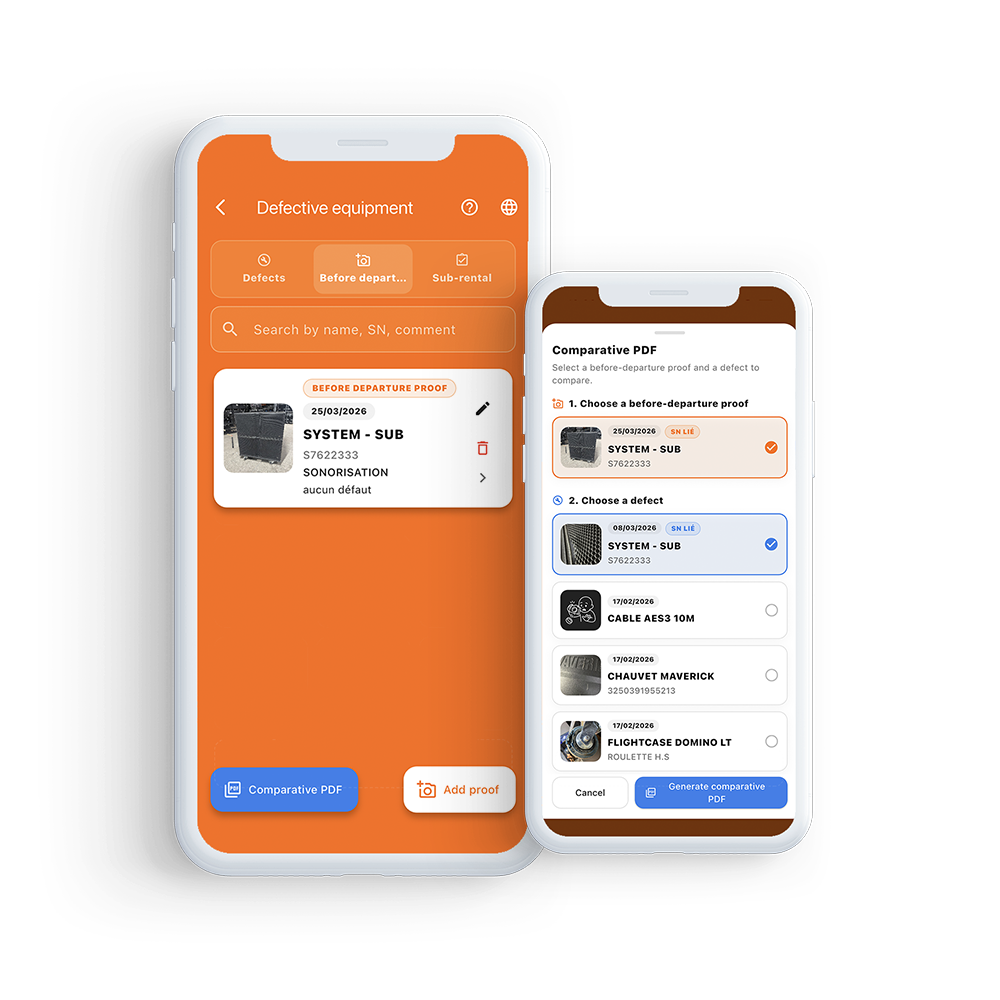
Handover document with electronic signature
Get your equipment handover documents signed online
Generate an equipment handover document directly from StageReturn, add photographic evidence of the equipment’s condition, and send the recipient a secure link to sign it online.
The client or technician can sign from a smartphone, tablet or computer, with no account required. Once signed, the document is timestamped, certified and linked to the project, providing a complete record of the equipment handover.
A copy of the signed document is automatically sent to the email address provided during signing. With an authenticity certificate and QR code, the document’s integrity can be verified at any time.
Analytics & After-Sales Service Tracking
Turn your incidents into decisions
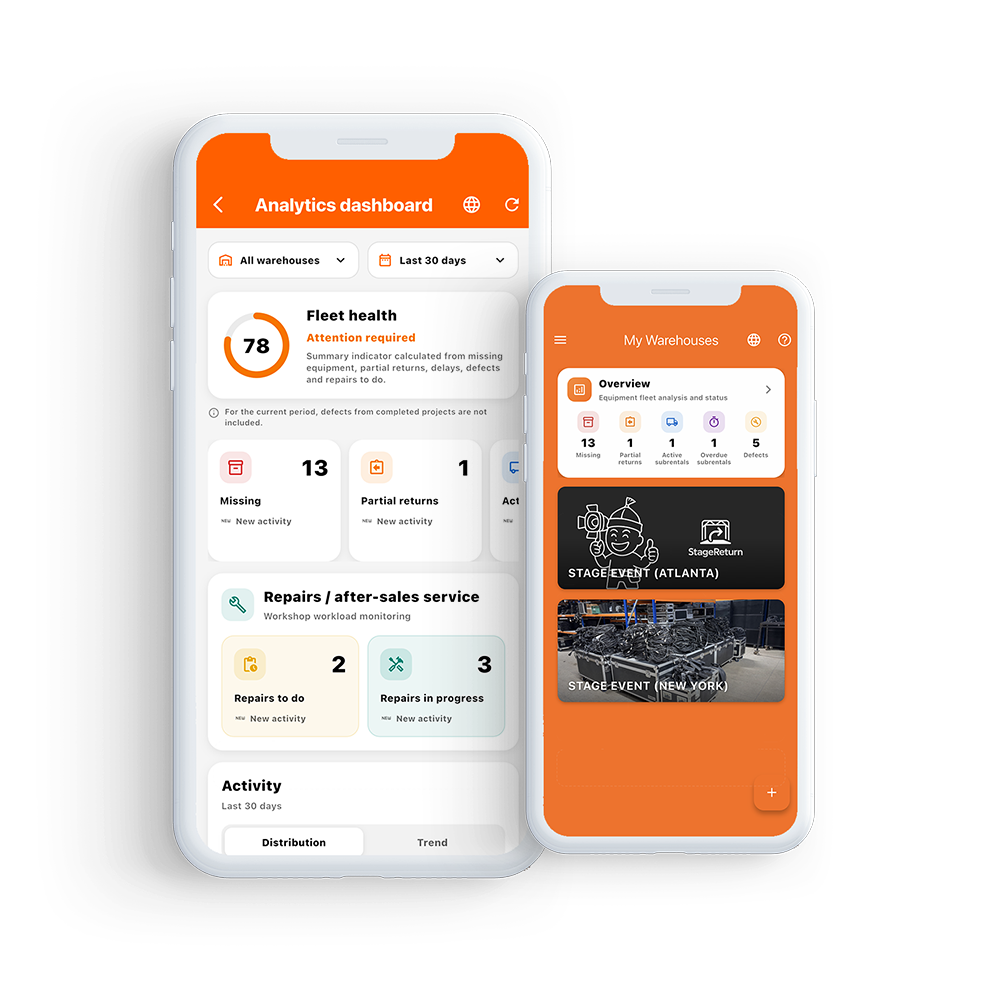
View your equipment and after-sales service activity from a centralized dashboard: reported incidents, defective equipment, missing equipment and repairs.
Analyze trends by period, warehouse, category or equipment to identify which assets generate the most incidents and better understand the reasons behind your service interventions.
Track your key performance indicators and use StageReturn’s history to make better decisions about maintenance, equipment replacement and asset management.
Repair tracking
Go from incident to repair without losing information
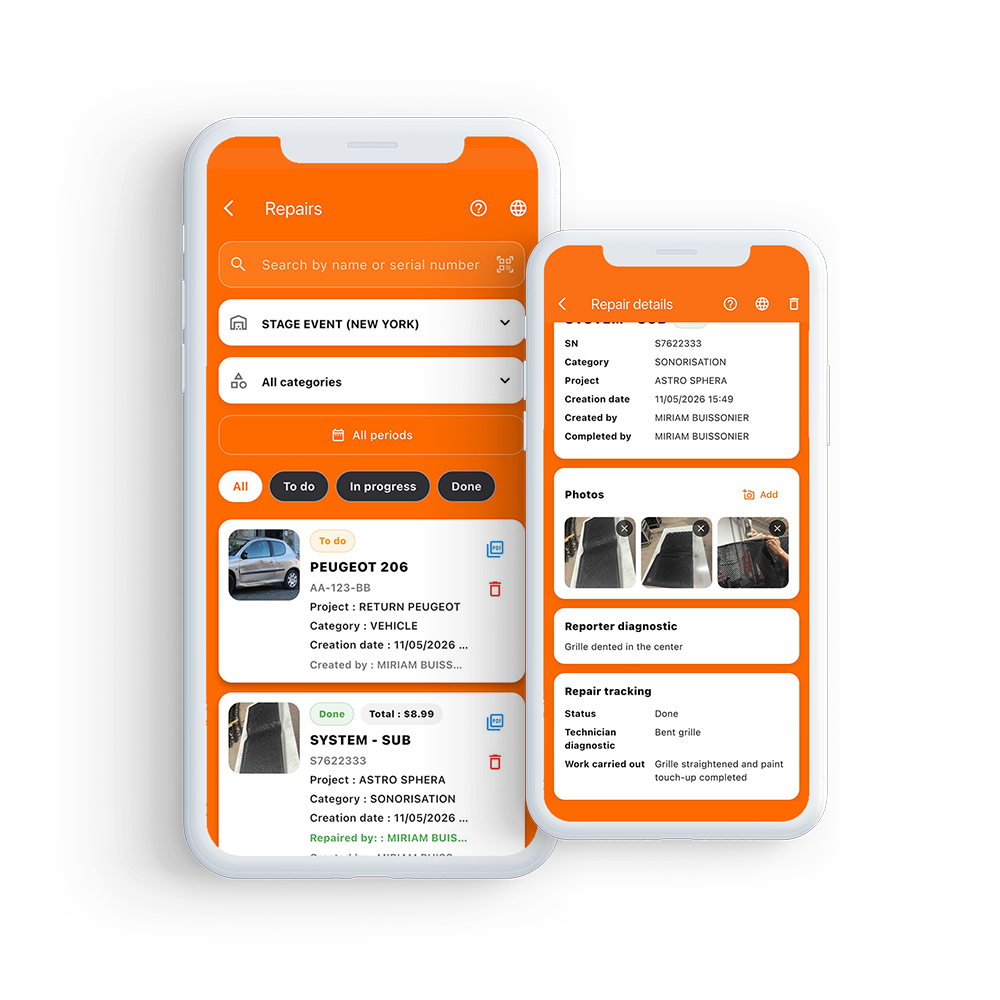
Create a repair record directly from a reported incident and keep the original defect photos, while adding new ones without altering the initial evidence.
Track every repair with clear statuses: To do, In progress or Done. Your technicians can add a diagnosis, document the work performed and costs, and attach photos.
Scan a serial number to access an equipment’s complete history and generate a PDF repair report at any time, including diagnoses, work performed and photos.
Tailored to your business
StageReturn adapts to your industry
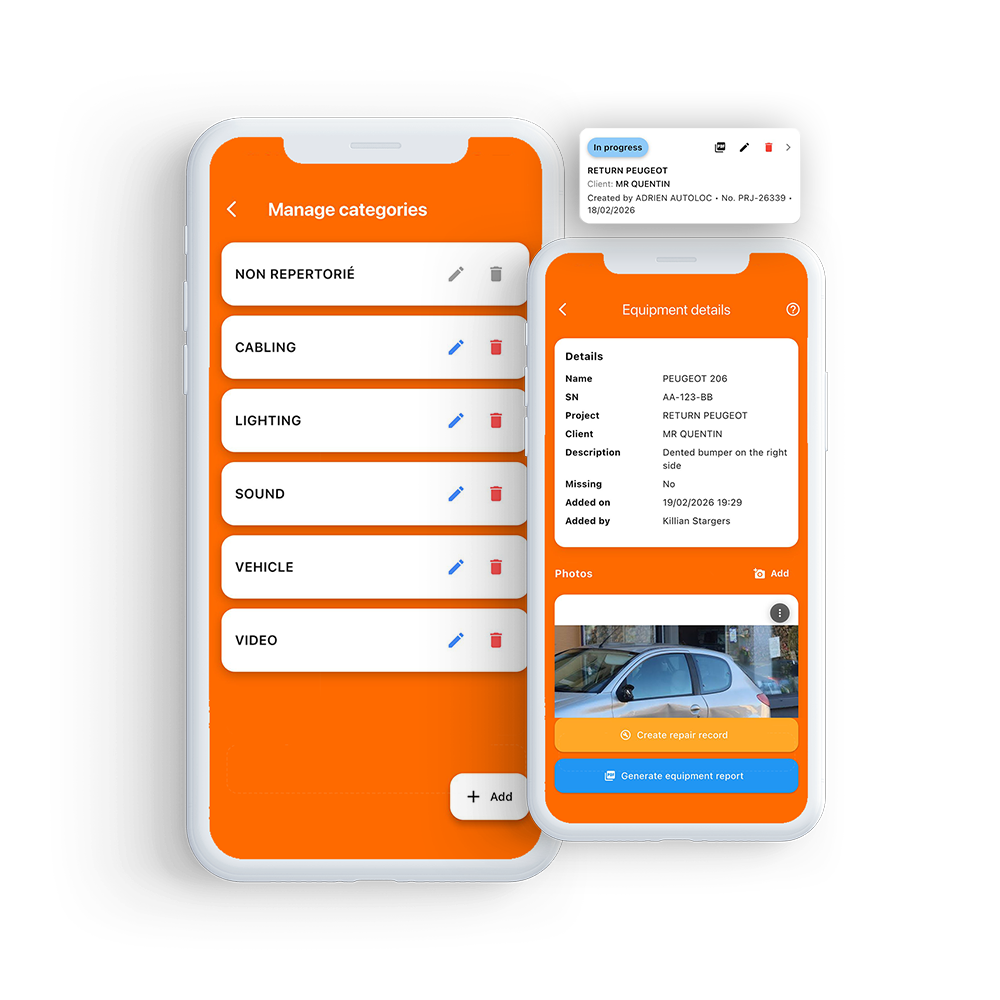
Create your own equipment categories and organize your inventory according to your business: audiovisual, vehicle rental, industrial equipment, event management, or any other industry.
Each item has its own unique identifier.
For example, in a vehicle fleet, the serial number can correspond to a license plate to accurately track the condition of each vehicle.
You maintain a clear, logical organization tailored to your day-to-day operations.
Every authorized team member can quickly access the right information without wasting time.
Centralized administration
Management down to the smallest detail
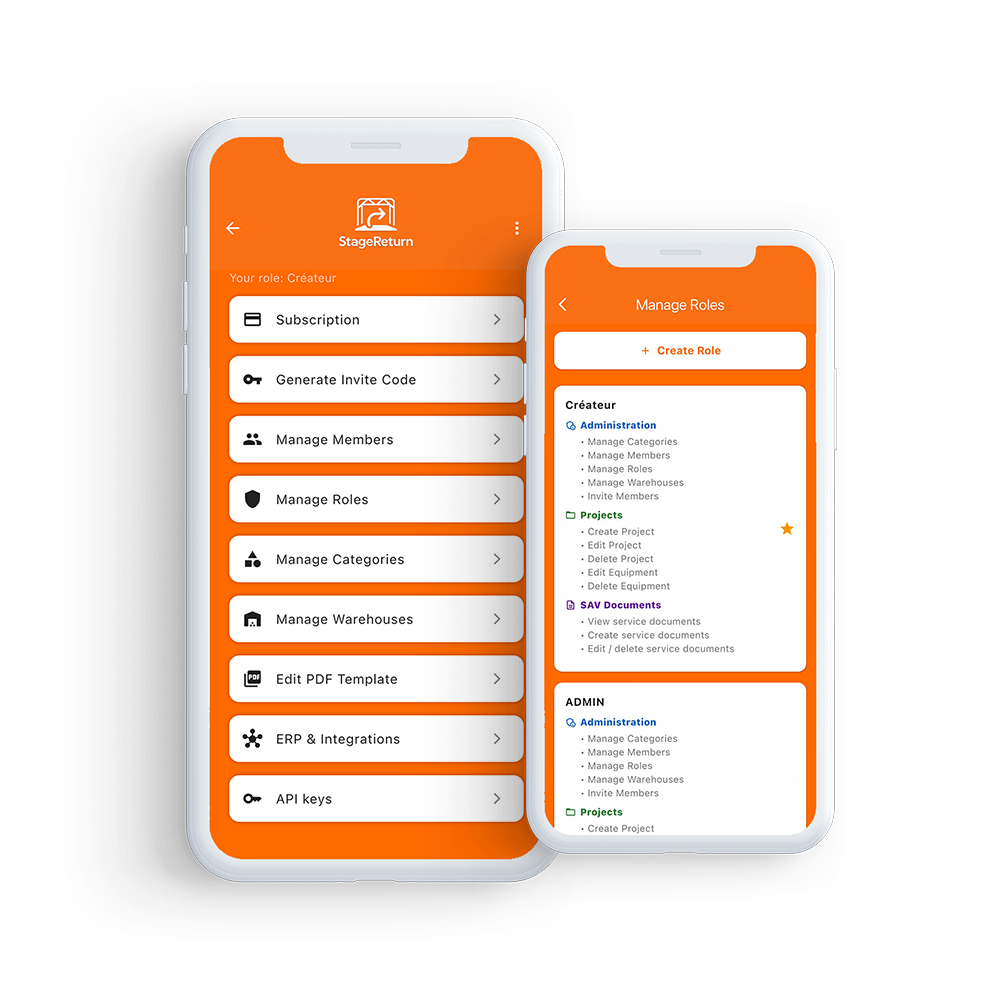
Manage your business with ease:
members, custom roles and permissions, warehouse management, equipment categories, invitation codes, and PDF report templates.
Every access is controlled, every action is managed.
StageReturn adapts to your organization — not the other way around.
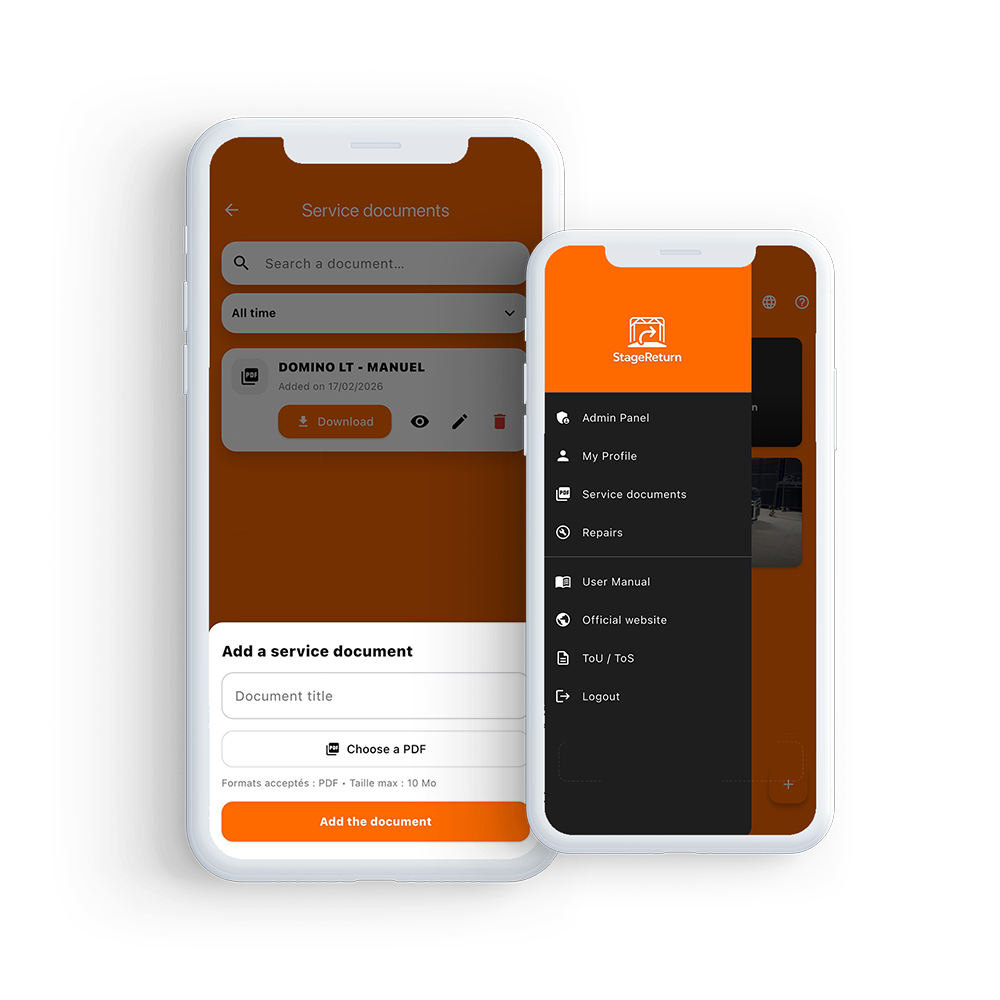
Centralized documentation
Your technical resources in one place
Centralize your after-sales service documents and technical resources in a shared space:
diagrams, exploded views, manuals, and internal procedures.
Every authorized team member can quickly access the right references without wasting time.
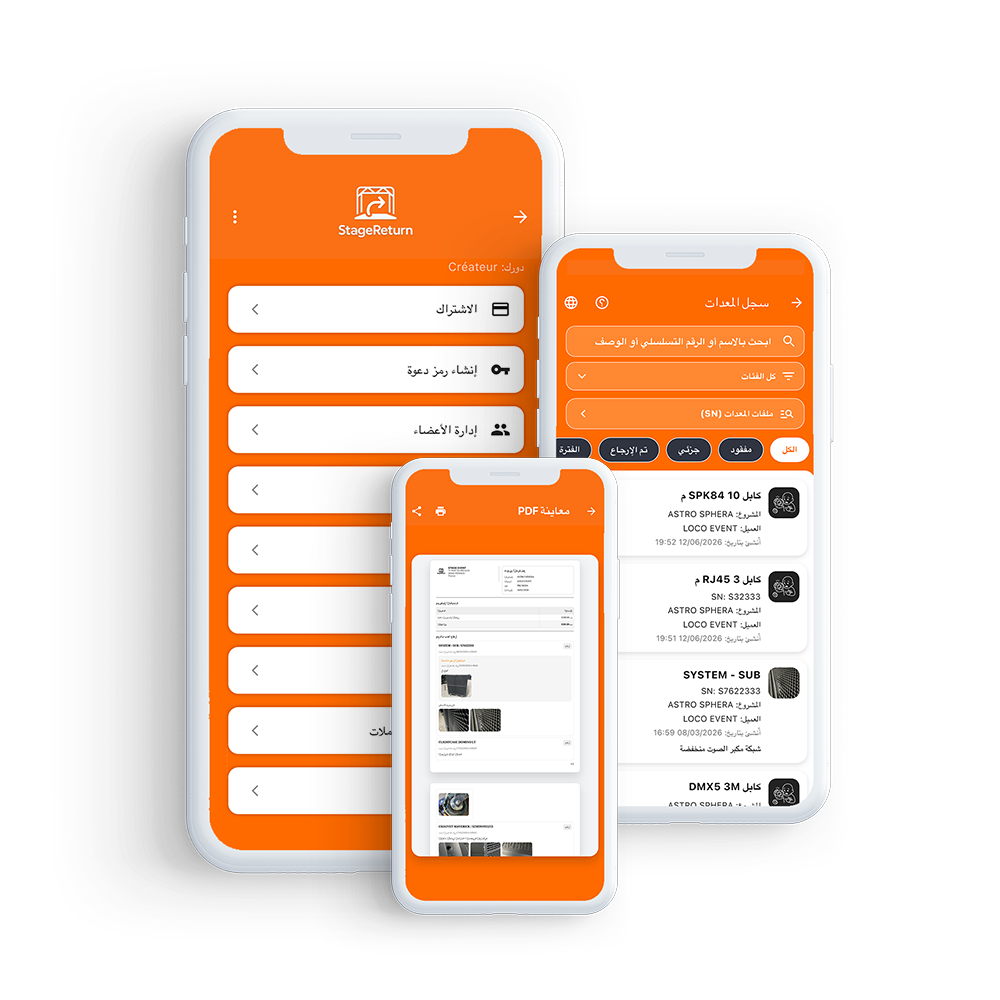
Multilingual platform
After-sales service management without borders
StageReturn is available in French, English, and Arabic to adapt to your teams and your clients.
All generated documents — reports, histories, and more — can be exported in the selected language, ensuring clarity and professionalism in every exchange.
Our subscriptions
Plans tailored to your business size
Try StageReturn free for 1 month and streamline your after-sales service management today.
No commitment – Cancelable at any time
Scalable solution: add additional users or warehouses at any time from your Subscription space.
No commitment – Cancelable at any time
Scalable solution: add additional users or warehouses at any time from your Subscription space.



Contact
Contact us
Demo request, support, or subscription inquiry: contact us here. For any support or subscription request, please include your Company ID and User ID (available via the info icon at the top right of your administration page).